Warframe Color Picker
Table of Contents
Overview
WFColorPicker is a community-made website that helps you find in-game colors. Given any color input, it will return the closest matching colors available in Warframe, ranked by how similar the colors are.
It supports three ways to input a color: - Uploading a screenshot of a color strip from the arsenal - Using the built-in RGB wheel to dial in a specific color - Selecting a color directly from any in-game palette listed on the site
The two most common use cases are identifying colors from someone else's appearance screen in their arsenal and finding the closest match to a color from a palette you don't own.
Situation 1: Unknown Colors
Let's say you see a really neat fashion on a Warframe content creator's stream or video, but they never go through the exact colors they used. As long as you can get a clear view of the color channels in the appearance menu, WFColorPicker can handle the rest.
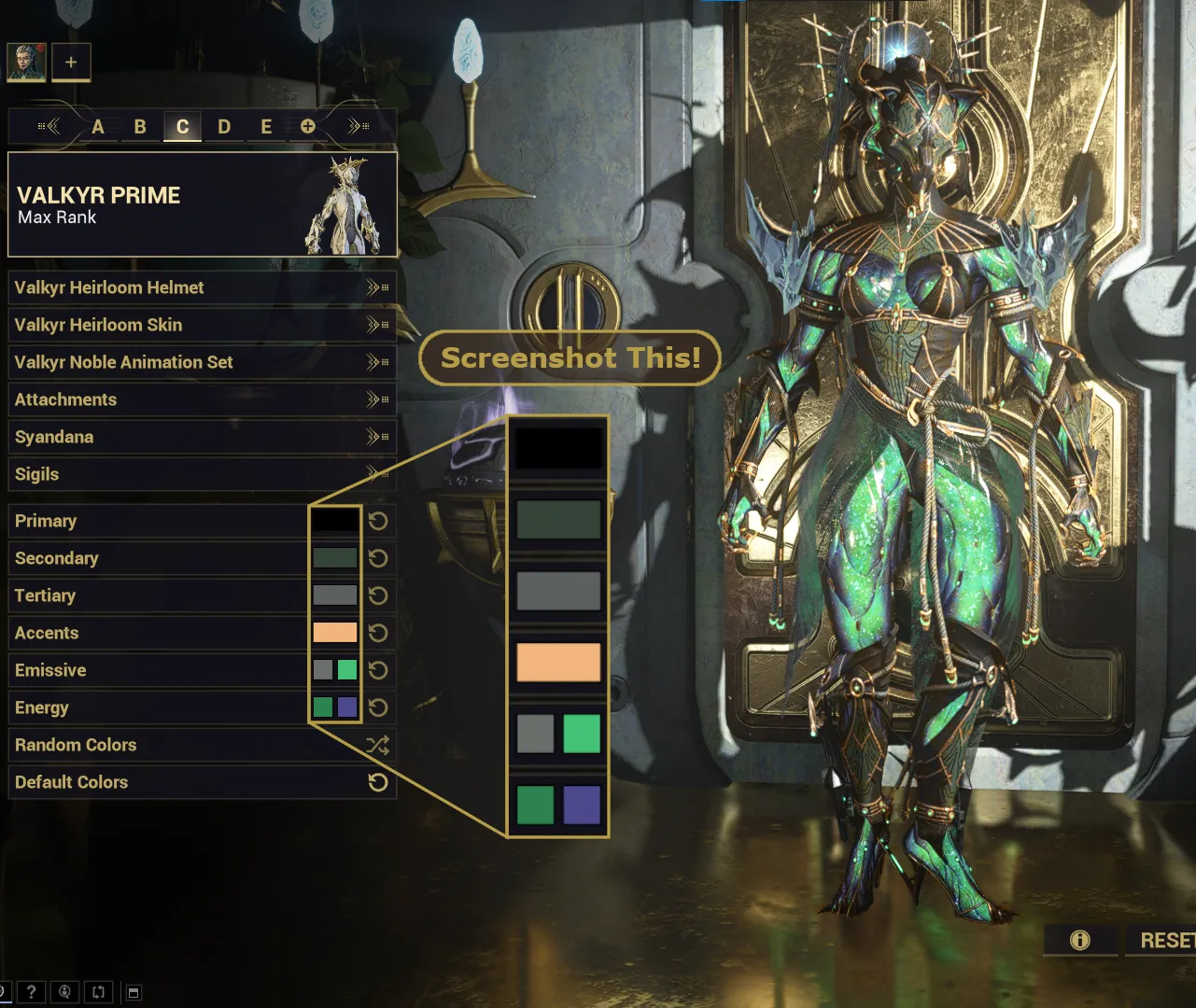
- Take a screenshot of the color channels
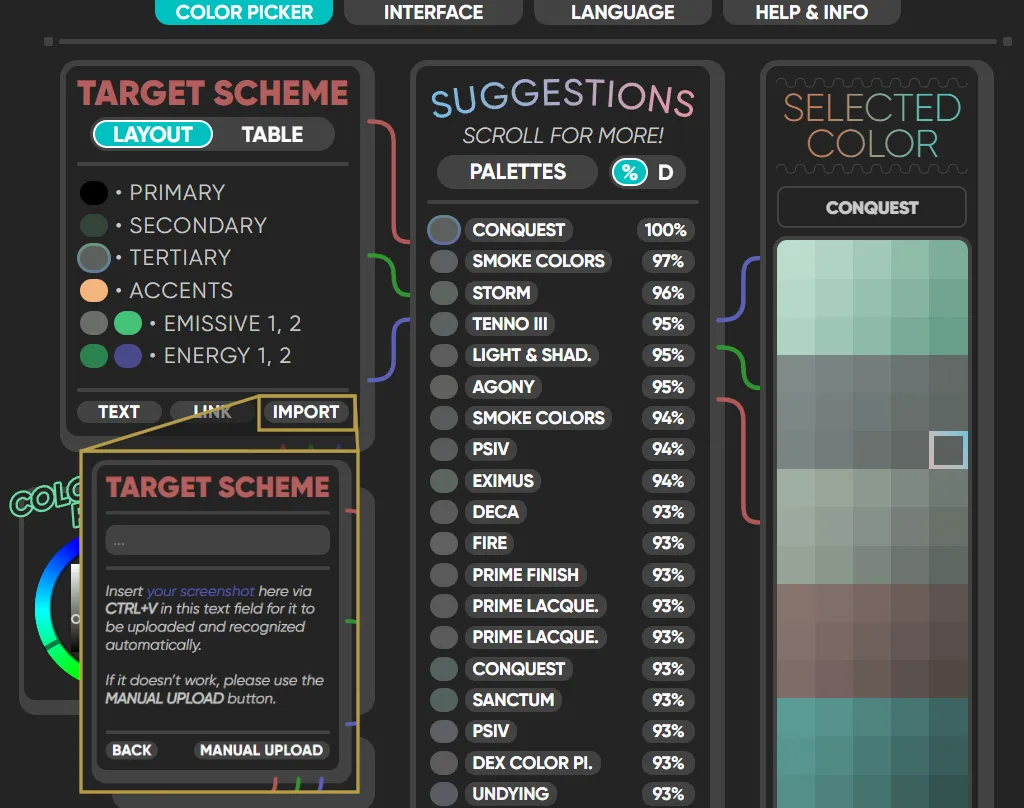
- Go to WFColorPicker, select "Import", and upload your screenshot
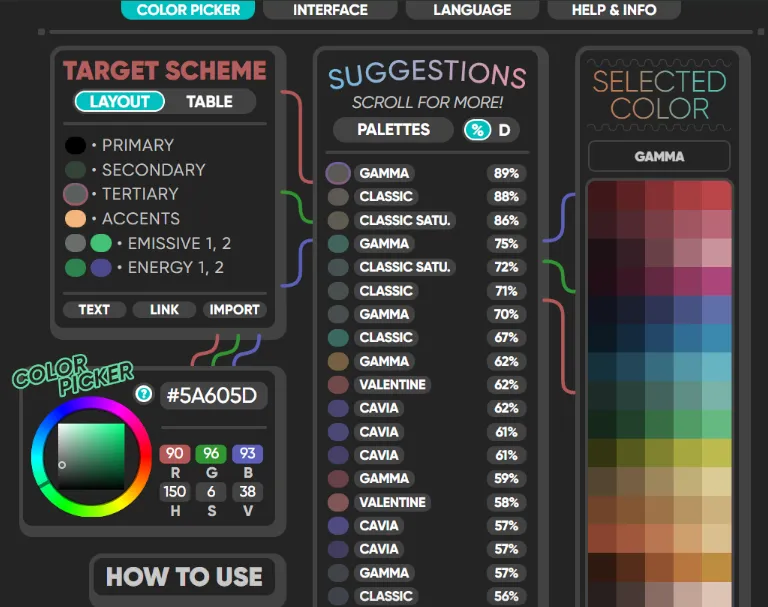
- Click on any color channel to see the closest in-game matches
With a clear image, the tool will generally find accurate matches without any trouble.
Situation 2: Missing Palettes
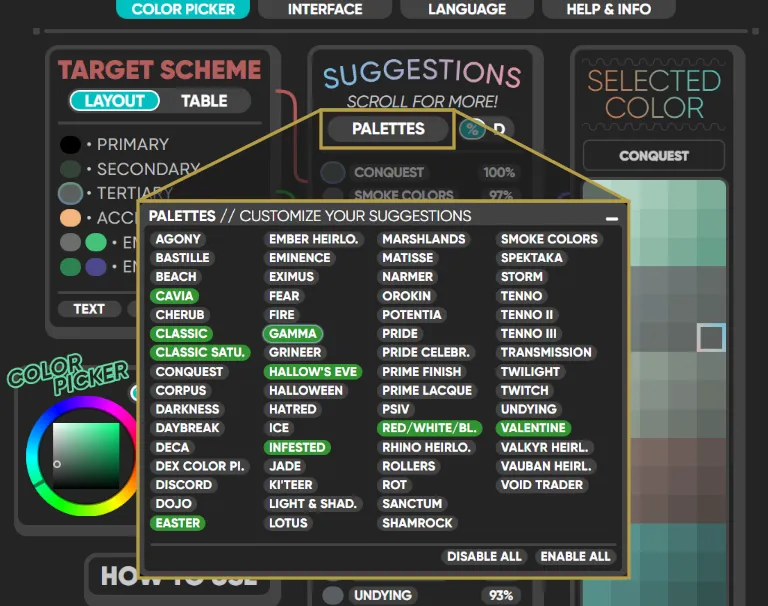
Continuing from the previous scenario, let's say you've now found out that you're missing most of the palettes used! You could scroll down the suggestions list until you find a match from a palette you own, or you could filter by the palettes you own using the "Palettes" button.